Android
Android 8 or newer. APK from this page, updates from within the app.
Get notified in the botZTCP Client keeps a protected connection to your organisation. It picks a working route on its own and moves to a backup when the main one drops. Your administrator issues the access — all you do is scan a QR code.
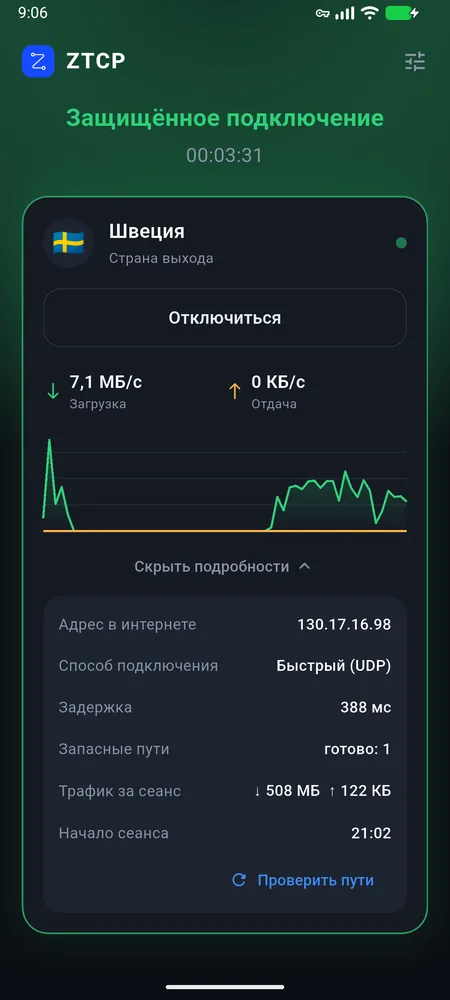
The app checks the routes every 30 seconds and switches to whichever one answers. You never have to choose. The screenshots show the app in Russian; on your phone it speaks your language.
Getting started
Download the app for your device from this page.
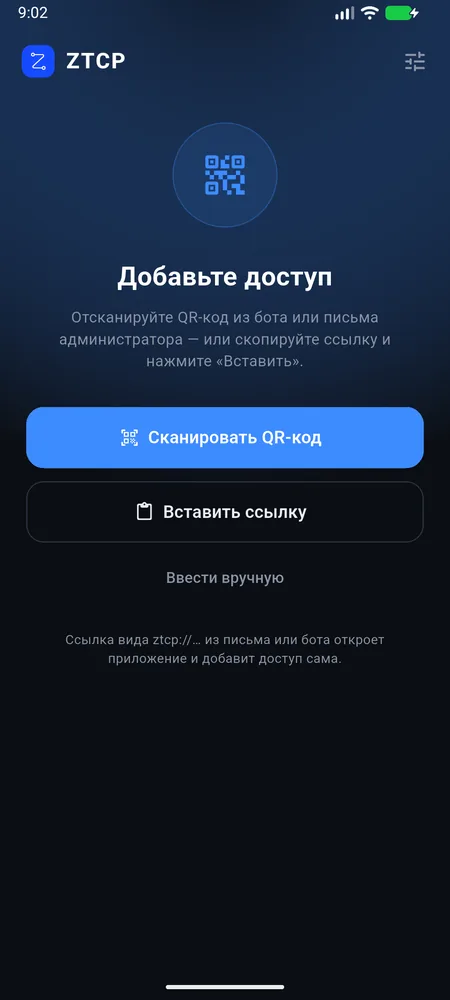
Scan the QR code from the bot or your administrator's email. Or copy the link: the app picks it up from the clipboard in one tap.
The country and route are chosen automatically. After the phone restarts, the connection comes back on its own.
The app
What you won't see — and don't need to:
Platforms
The statuses are honest: “In progress” means there is no app for that system yet. Links always point to the latest version.
Android 8 or newer. APK from this page, updates from within the app.
Get notified in the botWindows 10 and 11. The connection runs as a service and comes up before you sign in.
Apple Silicon and Intel Macs. Signed and notarised by Apple.
Through the App Store and TestFlight. The connection can turn on by itself on chosen networks.
Yes, the access link also opens in third-party apps. But we only test and support ZTCP Client; in other apps some features don't work or depend on their settings.
| App | Platforms | Keep in mind |
|---|---|---|
| Karing | Android, iOS, Windows, macOS | The subscription has to be refreshed in the app; route switching depends on its settings. |
| Hiddify | Android, iOS, Windows, macOS, Linux | No notice of new ZTCP versions; the route is chosen in the app. |
| v2rayN | Windows | Some connection routes are not supported; failover has to be set up by hand. |
| sing-box | Android, iOS, macOS | For experienced users; the subscription is refreshed by hand. |
FAQ
That is how Android and iOS mark any app that holds a protected connection. The icon stays while the connection is on and disappears when you tap “Disconnect”.
Your organisation's administrator issues them, in the @ztcp_bot bot or by email. If you open the link on the same phone, it launches ZTCP Client and adds the access right away.
Check that the internet works without ZTCP. Then open “Details” and tap “Check routes”: the app tests every route at once instead of waiting for the next check. If that doesn't help, contact your administrator or the bot.
In the app: settings icon → “Remove access from this device”. The connection turns off and the settings are erased. Your administrator can also revoke the access, for example if the phone is lost.
The app collects no analytics and shows no ads. Your organisation's administrator sees your devices, connection times and traffic volume.